1. Tap the message field.
2. Scroll the view to see the special symbols.
3. Tap the special symbol.
(The symbols will be inserted at the end of the message.)
1. Tap the message field.
2. Scroll the view to see the special symbols.
3. Tap the special symbol.
(The symbols will be inserted at the end of the message.)
Hi, Sorry but don’t know what happened, my banner can no longer show date and time. Anything to do with iOS 4.3 upgrade? Please check and advise. Cheers.
Hello,
I bought the app for my iPod touch but is there also an app for Android phones? It would be great because the other Android apps like Banner aren’t so useful like Banner for iPhone/iPod touch. Thanks
Hi Andy, You can put any Twitter ID (without @) after tapping the “Username:” field (BannerTwit by default). Showing the timeline is a good idea but I think it’s not suitable to show all tweets with Banner’s slow display. Don’t you think so?
Thank you very much for the recent update.
Especially the color chooser is very nice.
Could you insert another style like the ‘real’ LED stripes with fully black background and colored letters? That would be great: higher contrast and better readability.
I’ve tried with theTwitter option but it doesn’t work. I wrote my username without @ but nothing. I need this option working please!!. I bought this app for this option!!. Help me pleaseeeee!!.
Hi Shefi,The blinling style of the Extreme version is different from the Free version. It’s my intension but it might be out of your expectation. Sorry for that.
I’ve checked it as below:
– I changed my iPhone’s language to Italiano.
– Delete Banner app.
– Re-install Banner app from App Store.
– Launch Banner app.
– Banner messages and settings are shown in English.
Very strange. I deleted it, also from App Store cloud, cleared from the background, shutted down iPhone, re turned-on, reinstalled but nothing changed. Still in Japanese.
Ok, I’ve got it.
There are two settings for the language:
-language
-preferred order language
In the preferred order, I had Italian (as first) and Japanese (really don’t know why) as second language.
So it showed everything in Japanese in the app.
Now I added “English” as second preferred language and everything works like a charm (I don’t know how to take Japanese out from that list…).

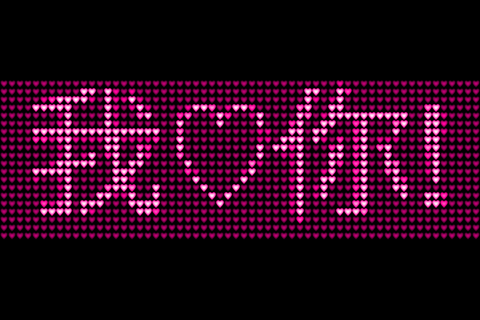

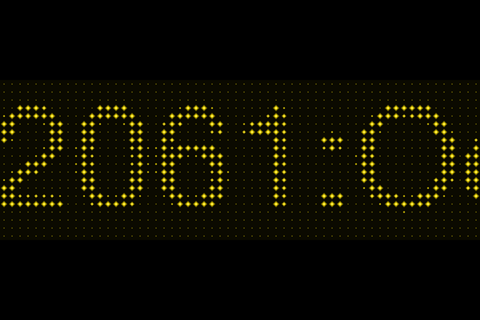

Hiya, I just wanna know how can I insert those special symbols into my displayed message? Thx!
>Daphne
1. Tap the message field.
2. Scroll the view to see the special symbols.
3. Tap the special symbol.
(The symbols will be inserted at the end of the message.)
I am wondering if there will be more LED shapes beside the one that are currently available? I would like to see Stars, Moon, Arrows, Cube, etc…
Also, I am just wondering what is the last shape of the LED is?
> I would like to see Stars, Moon, Arrows, Cube, etc…
Let me try it….The shape is within 16×16 pixels, it’s a little bit hard to realize the features.
> Also, I am just wondering what is the last shape of the LED is
Noise.
hi, just bought the app but those special symbols do not work….
> Sara
1. Tap the message field.
2. Scroll the view to see the special symbols.
3. Tap the special symbol.
(The symbols will be inserted at the end of the message.)
Doesn’t it work ?
hi, swet iphone app, but is there any solution to display current playin song ? could be great for a next update !
> lb
Nice idea. Let me try it for the next version.
Thanks a lot ! This fully rocks now ! 🙂
Thanks, lb.
Hi, I would like to use it to display some long texts: what is the maximum length for a message?
Thank you.
Hi Bruno, It’s 10,000 pixels width. The number of characters depends on your message and the system font (language) you use.
メッセージ毎に色(とか他のパラメータ)を記憶できませんか?
連続で流すとメッセージの区切りが分からないので。
ねこみさん、メッセージごとに1画面分の空白が空くようになってますが、分かりにくいですか。メッセージごとに色を変えるのはいいアイディアですね。すぐにはできないかもしれませんが考えてみます。
How do I get the twitter feed to work?
I enter my twitter name but the display says “”
Thanks for your help. Keep up the good work!
..the display says : Twitter: Not authorized
Hi Rick, I think it works with your twitter account name (without @). I try it with my account, it works.
I am unable to insert the symbols. The field for ” message to display ” cannot be turned on.?
How do I write a custom message ?
Hi Gordon,
1. Tap the message field.
2. Scroll the view to see the special symbols.
3. Tap the special symbol.
I hope this works fine.
How i can make a HEART symbol? I couldn’t find it…
Hi fernando, If you want create a new symbol, it’s impossible. If you want to insert a HEART symbol into a message, please refer the post above.
Hi fernando, If you want create a new symbol, it’s impossible. If you want to insert a HEART symbol into a message, please refer the post above.
does the banner repeat messages? thanks
Yes. > Jam
Hi
Can this be set as a home screen or wallpaper?
Hi Pam, The app has no function to save a image but you can:
(1) Press the Sleep/Wake button and the Home button simultaneously.
(2) Open “Photos” app and …
http://www.technixupdate.com/change-set-wallpaper-on-lockscreen-home-screen-on-iphone-with-ios-4/
I believe Joseph Tame used this for his running at Tokyo Marathon 2011, the other day.
I got eBanner app too, which is slightly more expensive than this and has additional features. But I love this Banner app simplicity.
Hi Jimmy, Thank you for pointing this. That’s fun and interesting. I found the article below.
http://www.padgadget.com/2011/02/27/joseph-tame-runs-tokyo-marathon-with-ipad-and-iphone/
I’m also glad to hear you like it. Enjoy~!
Hi, Sorry but don’t know what happened, my banner can no longer show date and time. Anything to do with iOS 4.3 upgrade? Please check and advise. Cheers.
Hi CYL, Confirmed and have submitted a fixed version to Apple. Just for a while (within a week?). Sorry for that.
Hello,
I bought the app for my iPod touch but is there also an app for Android phones? It would be great because the other Android apps like Banner aren’t so useful like Banner for iPhone/iPod touch. Thanks
Please can you tell me how to get the twitter feed working? Also, any plans to show feeds for all the people I follow in my account?
Hi Vincent, I have no plan for Android. But your opinion is interesting. Maybe someday?
Hi Andy, You can put any Twitter ID (without @) after tapping the “Username:” field (BannerTwit by default). Showing the timeline is a good idea but I think it’s not suitable to show all tweets with Banner’s slow display. Don’t you think so?
Hi,
Thank you very much for the recent update.
Especially the color chooser is very nice.
Could you insert another style like the ‘real’ LED stripes with fully black background and colored letters? That would be great: higher contrast and better readability.
Hi Marc, Thank you for your comment. Do you have a example image you want ? It’s helpful if you can give me such a URL.
http://www.laufschrift-leuchtreklame.de/
Like the ones in the video – colored letters, black background. That would be great.
Banner extreme.
I have an error message with twitter timeline: “error no connection”.
Any idea ?
Thanks a lot
Laurent
Hola. Cada vez que quiero usar con Twitter me Indica un error de conexión
Hi!.
I’ve tried with theTwitter option but it doesn’t work. I wrote my username without @ but nothing. I need this option working please!!. I bought this app for this option!!. Help me pleaseeeee!!.
Thanks!
Twitterのツイートを読み込む機能が以前から動作していませんが、改善する予定はありますでしょうか?
iOS 7 8 ともにエラーになります。
使用環境: iPhone 5S 、iPad mini
Version 3.0.0でツイート表示が再び可能になりました。お待たせして申し訳ありませんでした。
I wanted to join the chorus of people seeing “error or no connection”.
Is this feature broken? Can you suggest a handle that works? I’ve tried a couple. Currently it’s set to BannerTwit.
The tweet display was recovered on the version 3.0.0. Thank you for your patience.
After I bought banner extreme, showing following error
When I select blinking option, the background also blinking..
But the lite version still running smoothly with ads..
Please fix this error
Hi Shefi,The blinling style of the Extreme version is different from the Free version. It’s my intension but it might be out of your expectation. Sorry for that.
Hi,
I can’t use it because it’s in Japanese language.
Can you suggest me how to fix it?
Thanks and my compliments for your work
Francesco
The primary language of Banner app is English. Let me know which language you use then I’ll check it.
I’m Italian.
Many thanks
I’ve checked it as below:
– I changed my iPhone’s language to Italiano.
– Delete Banner app.
– Re-install Banner app from App Store.
– Launch Banner app.
– Banner messages and settings are shown in English.
I’m using iPhone 7 with iOS 10.0.1. Thanks.
Obviously also the setting page is in Japanese (or Chinese, I don’t know!)
Very strange. I deleted it, also from App Store cloud, cleared from the background, shutted down iPhone, re turned-on, reinstalled but nothing changed. Still in Japanese.
Which version of iOS and which model of iPhone do you use?
iOS 10.0.1 on an iPhone 6
Ok, I’ve got it.
There are two settings for the language:
-language
-preferred order language
In the preferred order, I had Italian (as first) and Japanese (really don’t know why) as second language.
So it showed everything in Japanese in the app.
Now I added “English” as second preferred language and everything works like a charm (I don’t know how to take Japanese out from that list…).
Thanks!
Good to know.